Benchtop Mill Linux CNC Conversion
This project started a number of years ago when I received a Little Machine Shop (LMS) HiTorque 3990 Mini Mill as a gift from my grandparents. I had recently taken up an interest in machining from my high school metalworking class and spent many an hour in my basement making little knick-knacks and simple parts for my other projects. However, I quickly reached the point where my project's requirements were rapidly outgrowing the complexity that I was able to achieve on a manual machine, at least without prohibitively expensive tooling. As such, the following Christmas I received another mysteriously heavy box under the tree, that being a now-defunct Heavy Metal CNC conversion kit, containing the mechanical parts necessary to perform the Frankenstein-esque conversion on my mill.
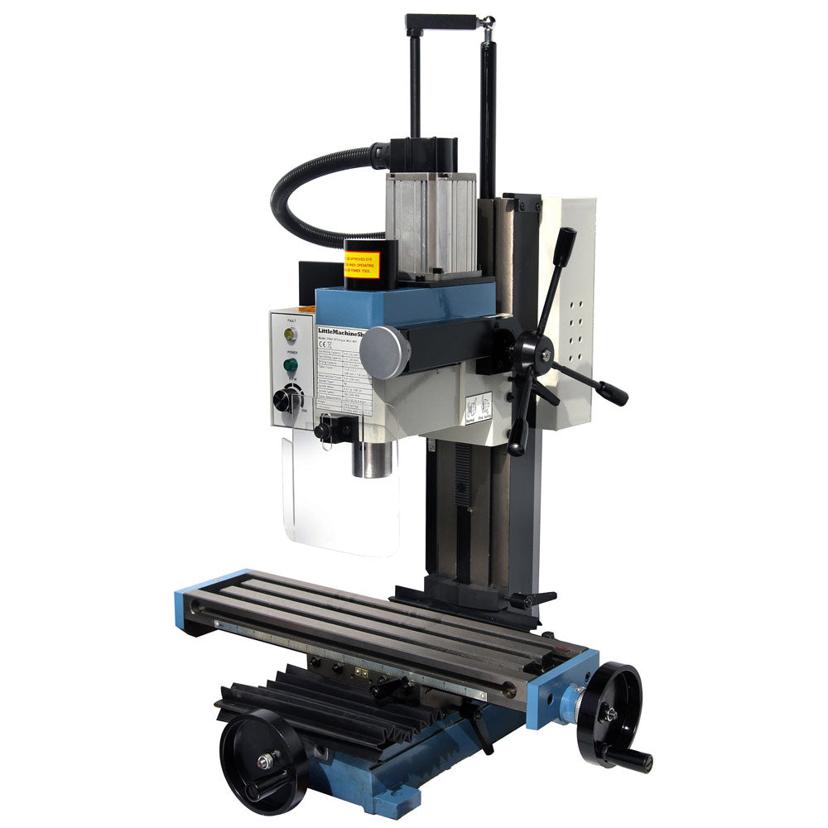
Stock LMS HiTorque 3990 Mini Mill
At the time, most conversions in the hobby space used one of two systems, namely Marlin and GRBL. Both of these systems are open source and designed to be run on an Arduino-esque microcontroller. The differences and strengths of these two systems aren't the focus of this post, and what matters is my decision to initially run GRBL, specifically a fork called GRBL-HAL.
This system was the simplest at the time. Unfortunately, after getting the mill to a testing state, it quickly became clear how limited it was. To use the full power of my mill without relying on fairly sketchy G-code senders and an endless stream of poorly documented macros, I decided to take the plunge and convert over to a more robust system, which would someday be able to easily handle my 5-axis aspirations.
This led me to discover Linux CNC and its plethora of options for controlling my machine. One of the requirements for Linux CNC is a dedicated pc (I suppose you could dual-boot, but I wanted to use a permanent solution for packaging reasons). Luckily, I had an old Intel NUC from an old home automation project, which I was able to repurpose for this build. The one caveat with this device is that it doesn't have the ability to mount a parallel port, which most LinuxCNC controllers require in order to maintain real-time controls. As a workaround, I discovered the Mesa 7I96s, an FPGA-based LinuxCNC control board that used Ethernet for its primary communications. This allowed me, after some rudimentary networking changes, to simply plug the Mesa board directly into the Nuc without any additional fuss while maintaining excellent communication speeds, far beyond what's required for my machine.
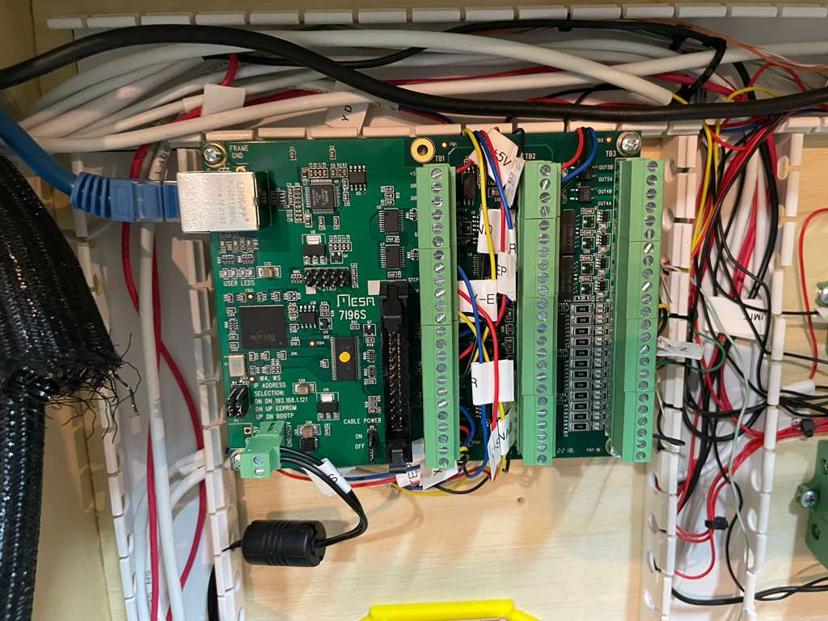
Mesa 7I96s wired in>
Once communications were functional, what came next was designing the enclosure. A plywood-based enclosure was made and mounted to the back of a rolling tool cabinet, which would serve as the stand for the mill. Although the wheels may potentially reduce rigidity in the system, it is a necessary evil due to my limited storage space. This enclosure has a number of holes made in its side, which allow for the power and signal wires to be run separately up to the mill itself.
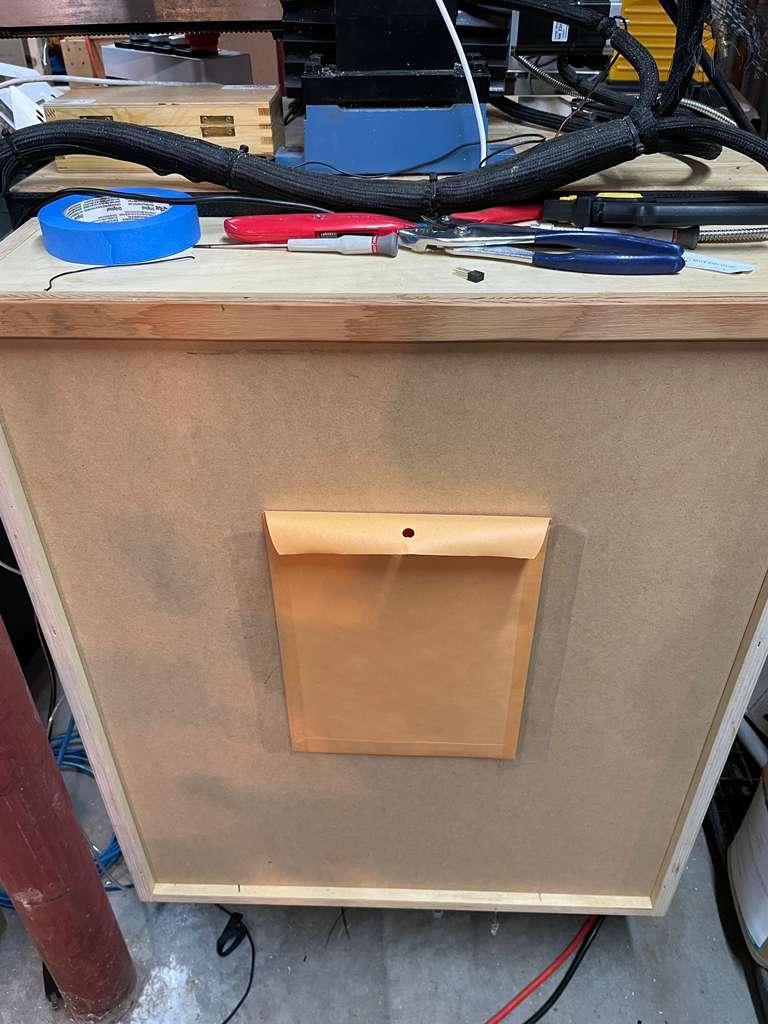
Mill stand with enclosure closed
The great(ish) wiring
With the enclosure built, the core electronics were installed, starting with the stepper drivers and associated power supplies, as well as the low-voltage electronics and their associated supplies. All high-power wiring (steppers, spindle, etc) was kept isolated from any low-power electronics both electronically and physically to reduce any unexpected EMI.
Within the low power systems, the 12V supply and grounds were additonally kept to an additional layer of isolation to ensure further integrity. The 12V supply managed the limit switches, the estop, and software buttons (cycle start, hold, and reset), whereas 5V was used for the rest of the electronics.
One key change I made between the GRBL prototype and the final(ish) LinuxCNC install was how the E-stop was handled. On the GRBL system, it triggered a full power off to all systems, including the microcontroller itself. On the LinuxCNC conversion, it results in a shutdown of all of the power electronics (steppers & spindle) but leaves the mesa board connected. An additional line is run from the 12V supply, which is toggled by the E-stop into the mesa card, which then reports back to the pc to display the E-stop status. This means that in the event of an E-stop, the system will immediately stop all power, but no non-persistent information will be lost for debugging. An additional LED is also connected inversely to the Estop, so when it is triggered, it will be illuminated. A benefit of this system is that the software can "soft" power up and down the power electronics, but the Estop server has a software-agnostic way to have full control over the actual hardware, meaning even if Linuxcnc doesn't register the estop input, the machine will come to a complete failsafe stop. This seems like a fairly obvious setup, unfortunately, I have seen far too many machines online wired to rely only on an Estop signal from the control board.
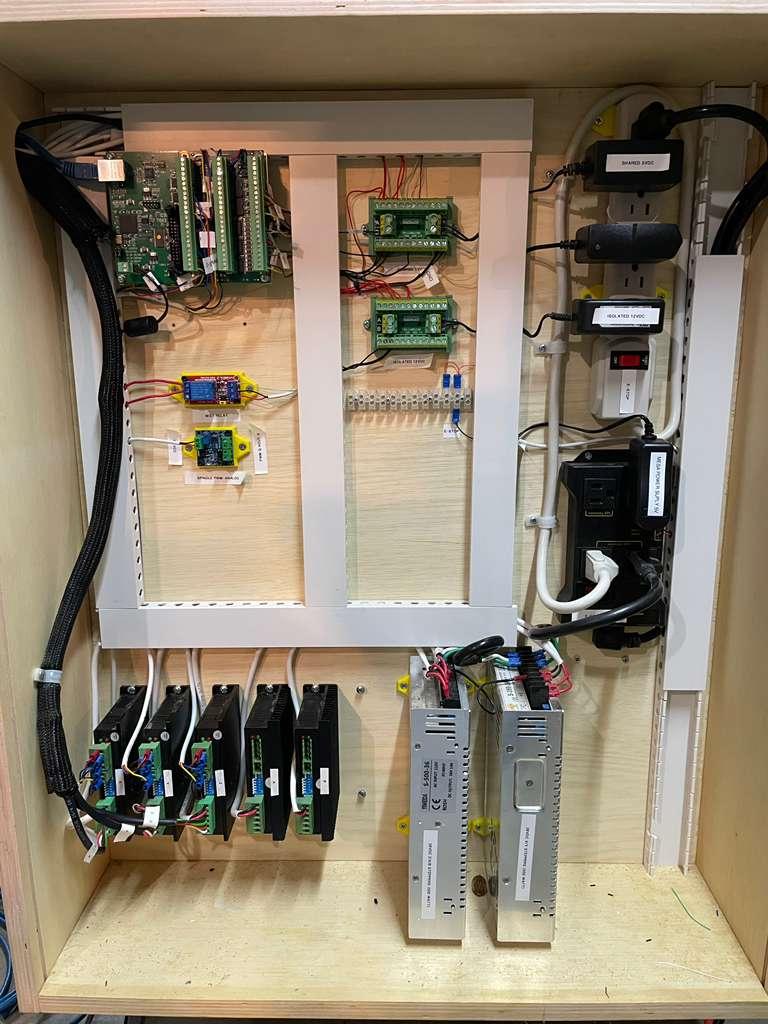
Covered wiring inside the enclosure
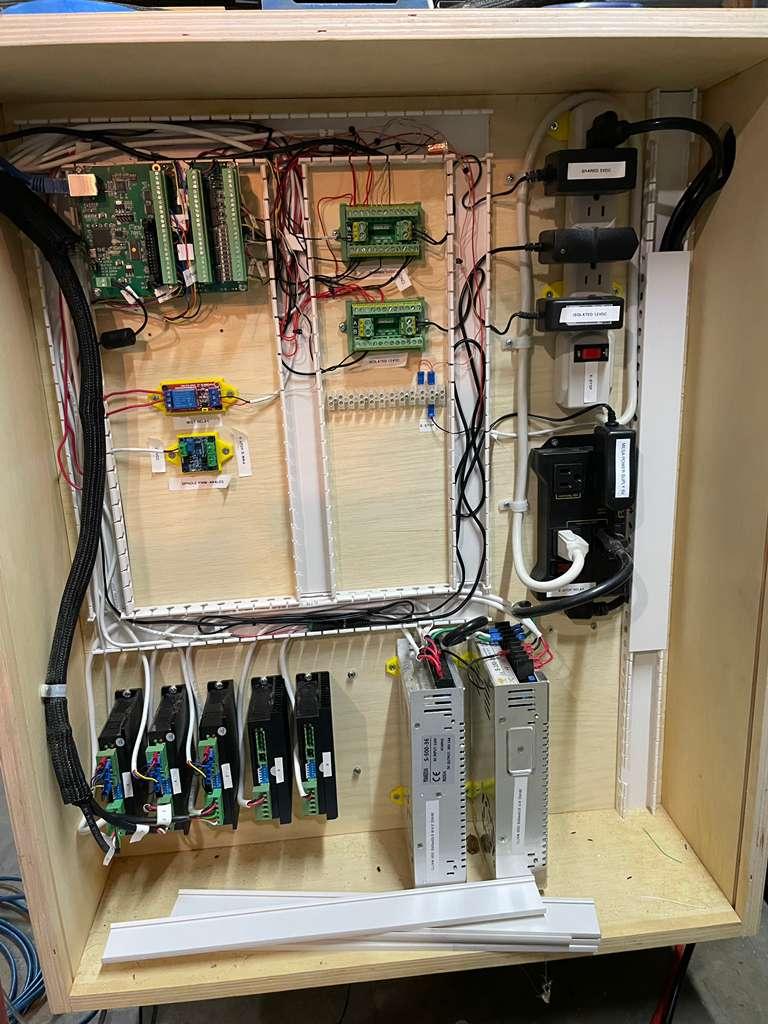
Exposed wiring (don't judge me too much)
We have a Tormach at home, Tormach at home:
Now that the machine was electronically functional, the config files needed to be configured for LinuxCNC. The pncconf tool for Mesa boards gave me a great starting point, which I then expanded upon a fair bit. One of these changes was switching away from the built-in Axis VCP to Probe Basic, a very professional-looking and extensible VCP built on PyVPC. The installation of this setup took some work due to a strange kernel issue with the latest LinuxCNC build, but after some minor troubleshooting, it nearly worked on the first try with some minor inputs and outputs needing to be inverted.
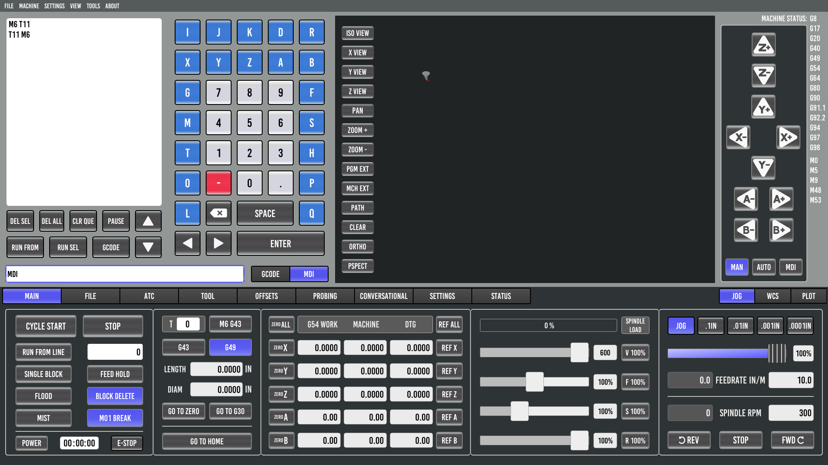
Probe Basic MDI interface
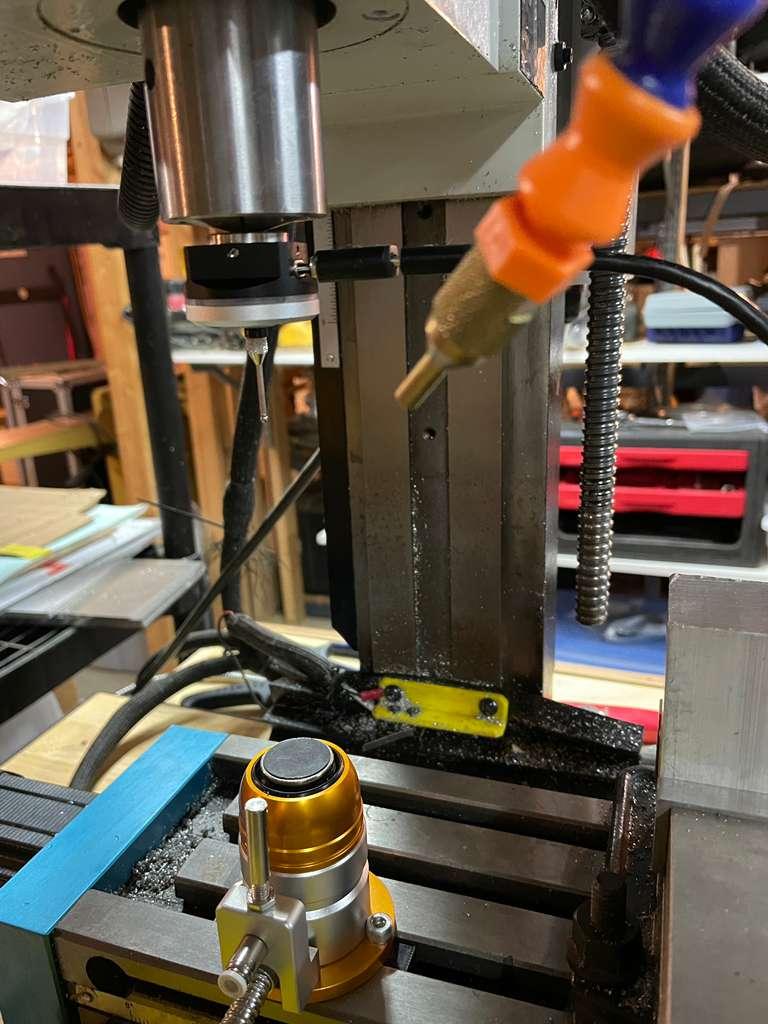
Using the built-in macro generators in Probe Basic (I cannot stress how much of an upgrade this system is over GRBL senders), I now have full XYZ probing and tool length setting/breakage detection during tool swaps mid program. Unfortunately, after taking the final photo, my camera decided to break, and I was unable to get any live footage of the mill running.
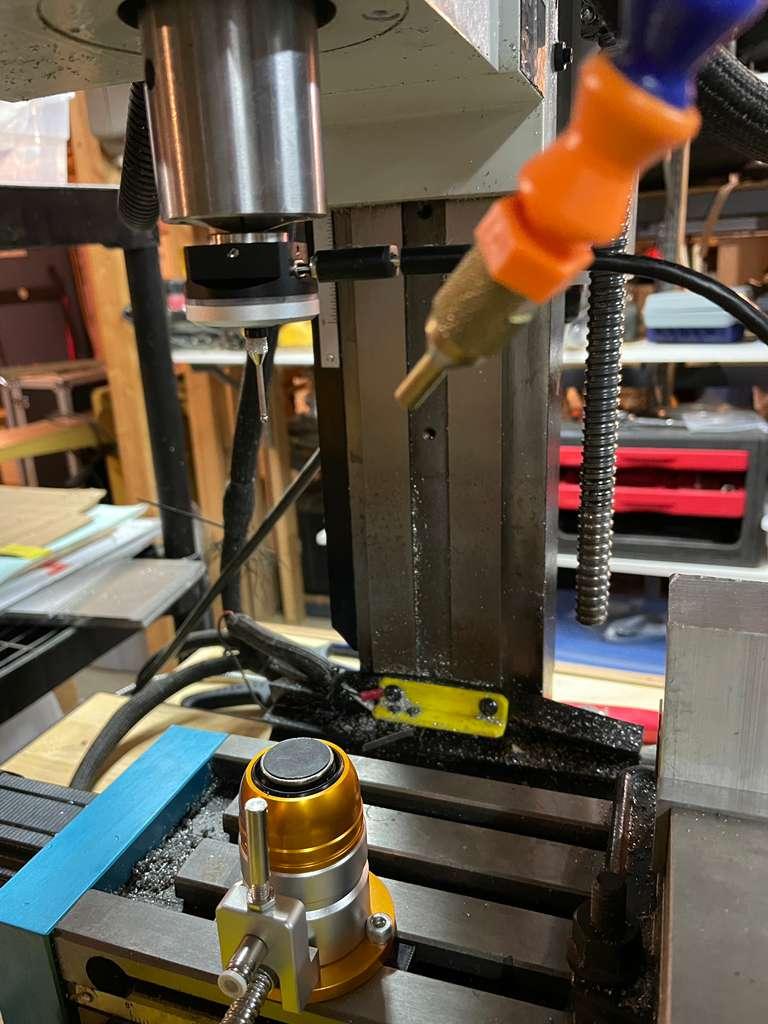
Mill with Probes attached
What comes next?
To get this machine into what I consider a "finished enough" state, I need to finish a several major outstanding tasks:
- Complete the wiring for the PC and mount the display and keyboard stand to the Mill cart.
- Setting up a reliable post-processor in Fusion360 to export G-code to the mill.
- Create a library of feeds and speeds for my most common tools and their respective materials.
- Build an enclosure. I'm personally partial to the Casa enclosure for the open-source Milo CNC as of now, but this may change with more research.
Once these tasks are finished, I'm fairly content in calling this project complete and moving it from the project part of my workshop into a truly reliable and professional(ish) tool. Even in its current state, I'm proud of how far it's come, and I hope to leverage it on some other cool projects in the works.
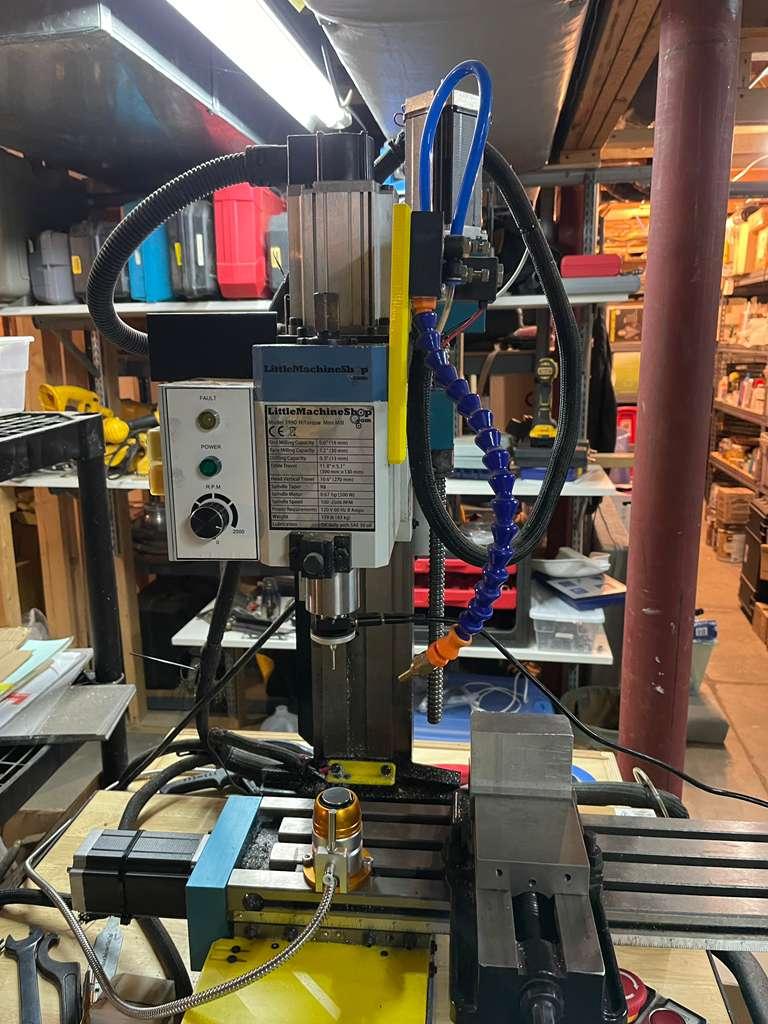
Complete but messy mill setup
Addendum
Should this help anyone else, I have included a simple wiring schematic I made for the Mesa board in Kicad. I found this setup of roughly mapping out all of the pins really convenient for planning before wiring anything. If anyone has questions about the build, feel free to reach out to me on my socials listed below!
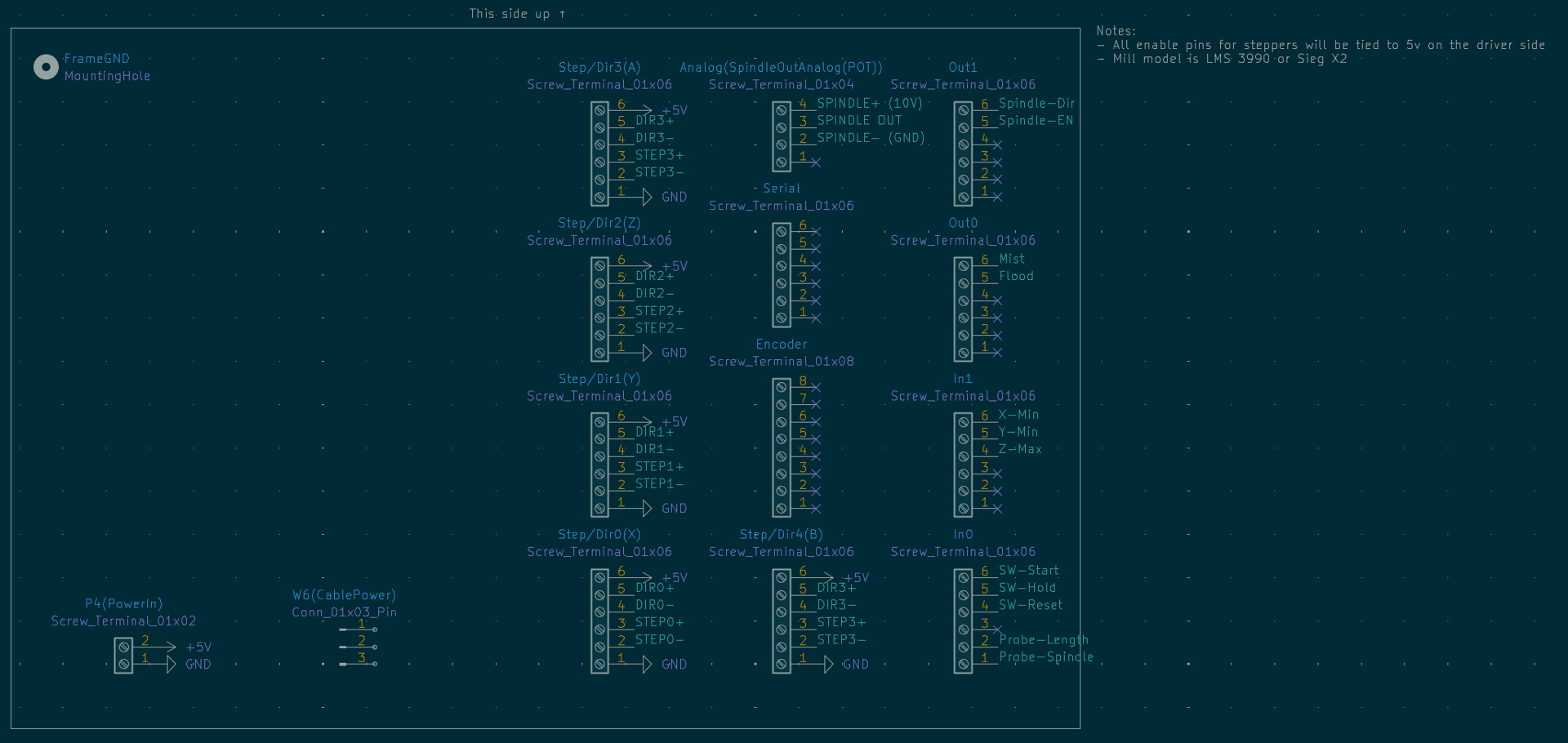
Mesa pinout and wiring diagram